Rendering Software Trends in 2026: What's Actually Changing Your Workflow
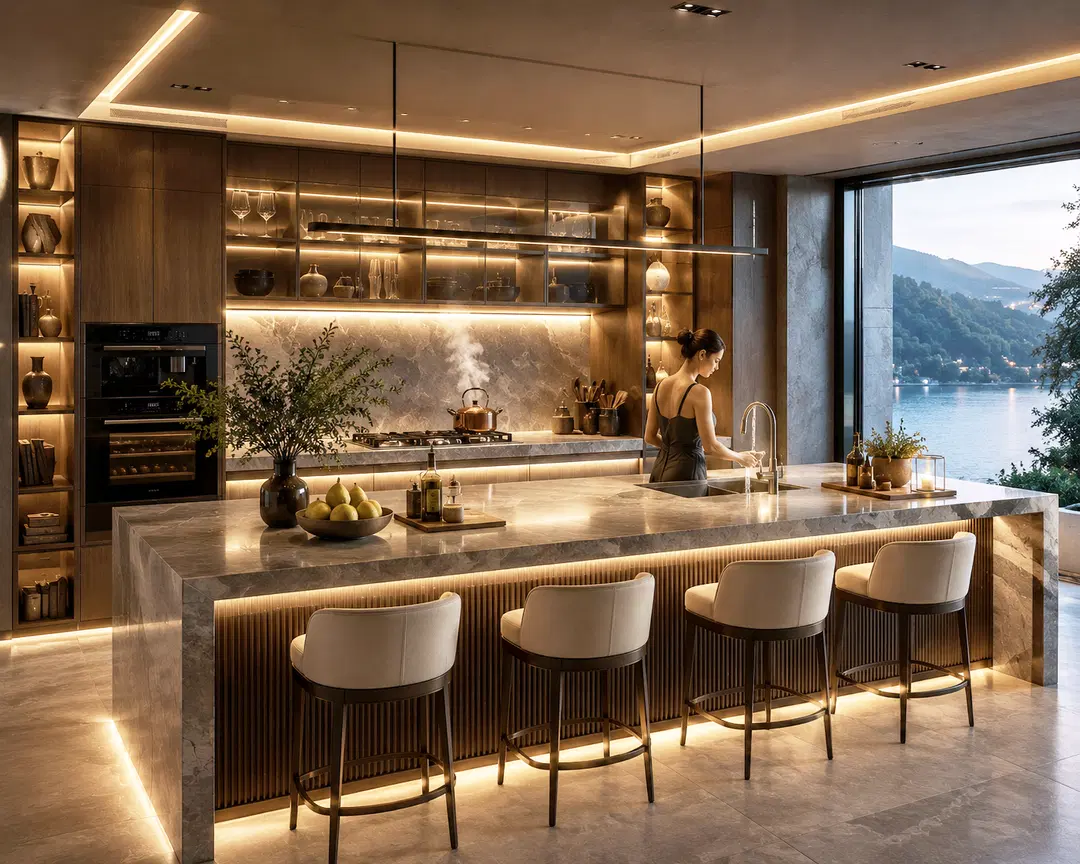
If you last seriously evaluated your rendering pipeline a couple of years ago, it's worth taking another look. The gap between "click render and go get coffee" and "watch the image resolve in real time" has narrowed dramatically, and a handful of shifts in how rendering software works are changing what's actually practical for solo artists and small studios, not just big-budget productions. Here's what's genuinely moving the needle in 2026, and what's still more hype than habit.
AI Denoising Has Quietly Become Standard
A few years ago, AI denoising was a nice-to-have toggle buried in render settings. Now it's closer to a default assumption across most major engines — V-Ray, Corona, Arnold, and Redshift all ship with neural denoisers that clean up noisy, low-sample renders into something close to a fully converged image. The practical effect is that scenes which once needed thousands of samples to look clean can now get comparable results at a fraction of that sample count, which translates directly into shorter render times without a visible quality trade-off in most everyday work.
For artists on tighter hardware budgets, this matters more than any single GPU upgrade. A mid-range card paired with a modern denoiser can now produce results that used to require significantly more expensive hardware, which is quietly leveling the playing field for freelancers competing against better-resourced studios.
Real-Time Engines Are Eating Into Offline Rendering's Territory
Real-time engines built on game-engine technology — Unreal Engine, Enscape, D5 Render, Twinmotion — have moved well past their old reputation as "good enough for quick previews, not final output." Modern hardware ray tracing lets these tools produce lighting and reflections that hold up in client-facing stills, not just walkthroughs, and the instant feedback loop is changing how artists iterate. Instead of tweaking a material, kicking off a test render, and waiting to see the result, many archviz artists now adjust lighting and materials live and only reach for a traditional path tracer when they need the absolute highest fidelity for a hero shot.
That doesn't mean offline rendering is going away. Full path tracers still hold an edge in physical accuracy for the kind of image that needs to survive close scrutiny — think marketing stills or VFX work — but the line between "real-time" and "final quality" keeps getting blurrier, and a growing number of projects now finish entirely inside a real-time engine.
Hybrid Workflows Are the New Normal
Rather than picking one renderer and sticking with it for everything, more artists are running hybrid pipelines: a real-time engine for design iteration and client walkthroughs, and a traditional offline renderer reserved for final marketing-quality stills. This isn't a compromise so much as using each tool for what it's actually good at. If you're still forcing every project through a single renderer regardless of the deliverable, it's worth asking whether a hybrid setup would save you real time without sacrificing the quality your best work needs.
Neural and Generative Techniques Are Moving From Novelty to Utility
Techniques like neural radiance fields and Gaussian splatting, which reconstruct 3D scenes from photographs rather than modeling them by hand, have moved from research demos into genuinely useful production tools for specific tasks — reference capture, environment scanning, and rapid previsualization in particular. They're not replacing traditional modeling and rendering pipelines for most professional work yet, since they still trade off some of the control and precision a hand-built scene offers. But for artists who need to quickly reconstruct a real location or generate a rough environment to iterate against, these tools are worth having in the toolkit even if they're not your primary workflow.
Cloud and Collaborative Rendering Keep Expanding
Cloud-based rendering isn't new, but its role has shifted from "backup option when your machine can't handle it" to a standard part of many pipelines. Local hardware handles daily iteration, and cloud resources absorb the big final-frame or animation jobs that would otherwise tie up a workstation for hours. For freelancers in particular, this removes one of the biggest arguments for buying the most expensive GPU available — you can run a capable but reasonably priced local setup and burst to the cloud only when a specific deadline actually demands it.
What This Means for Your Own Workflow
None of these shifts require ripping up your current pipeline overnight. A few practical starting points:
- Check your denoiser settings. If you haven't touched them recently, you may be rendering at a higher sample count than you actually need.
- Try a real-time engine for early-stage iteration, even if your final output still goes through a traditional renderer — the time saved in the design phase adds up fast.
- Reserve cloud rendering for the jobs that actually justify it — tight deadlines, high-resolution final frames, or animation sequences — rather than treating it as a default for everything.
- Keep an eye on neural reconstruction tools if your work involves matching real-world references, even if you don't adopt them as a primary workflow yet.
The Bottom Line
Rendering software in 2026 isn't defined by one breakthrough so much as by several trends compounding at once: faster feedback loops, smarter AI-assisted cleanup, and more flexible hybrid pipelines that let artists use the right tool for each stage of a project. The artists getting the most out of this shift aren't necessarily the ones with the newest hardware — they're the ones who've updated how they work to match what their software can now actually do.